Reading the Coronary Calcium Scoring Exam
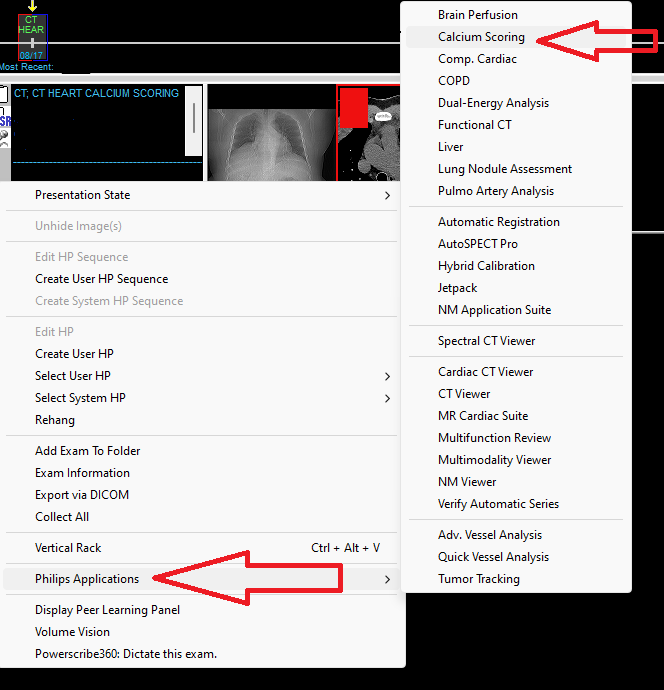
Step 1: Right click the thick grey bar near the exam on the right hand side of the screen on pacs
Hover over Philips application
Go to cardiac calcium scoring
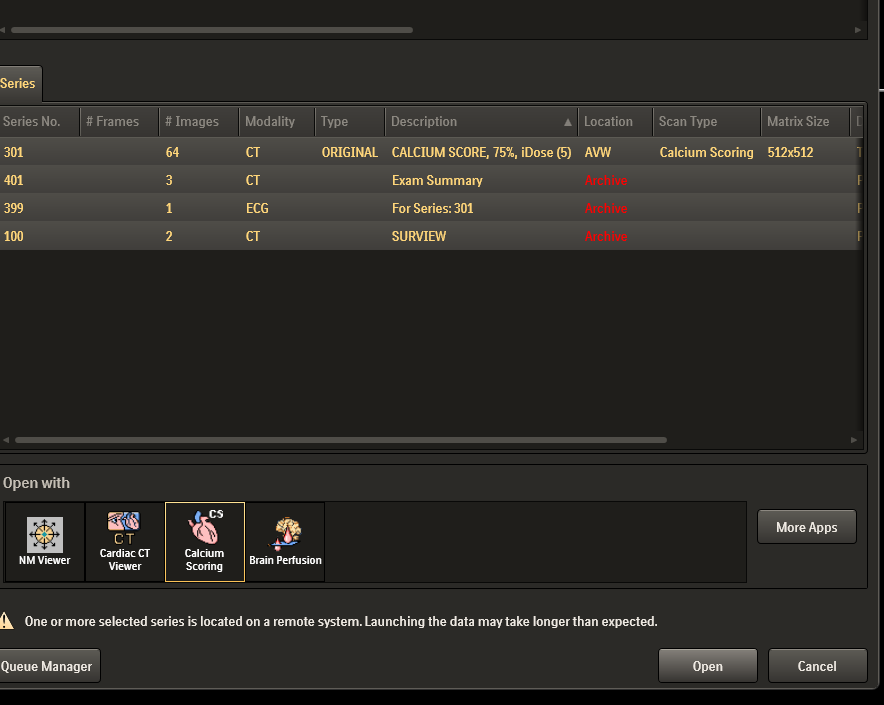
When you open the application you will see something like this image below, just click open, do not check or uncheck anything.
Then when the application opens you will see something like these images below
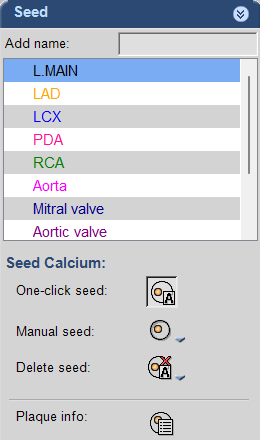
You should check the vessel that you are going to label and then click a seeding method below, one click seed is usually easiest
Now go to your CT and look at the vessel
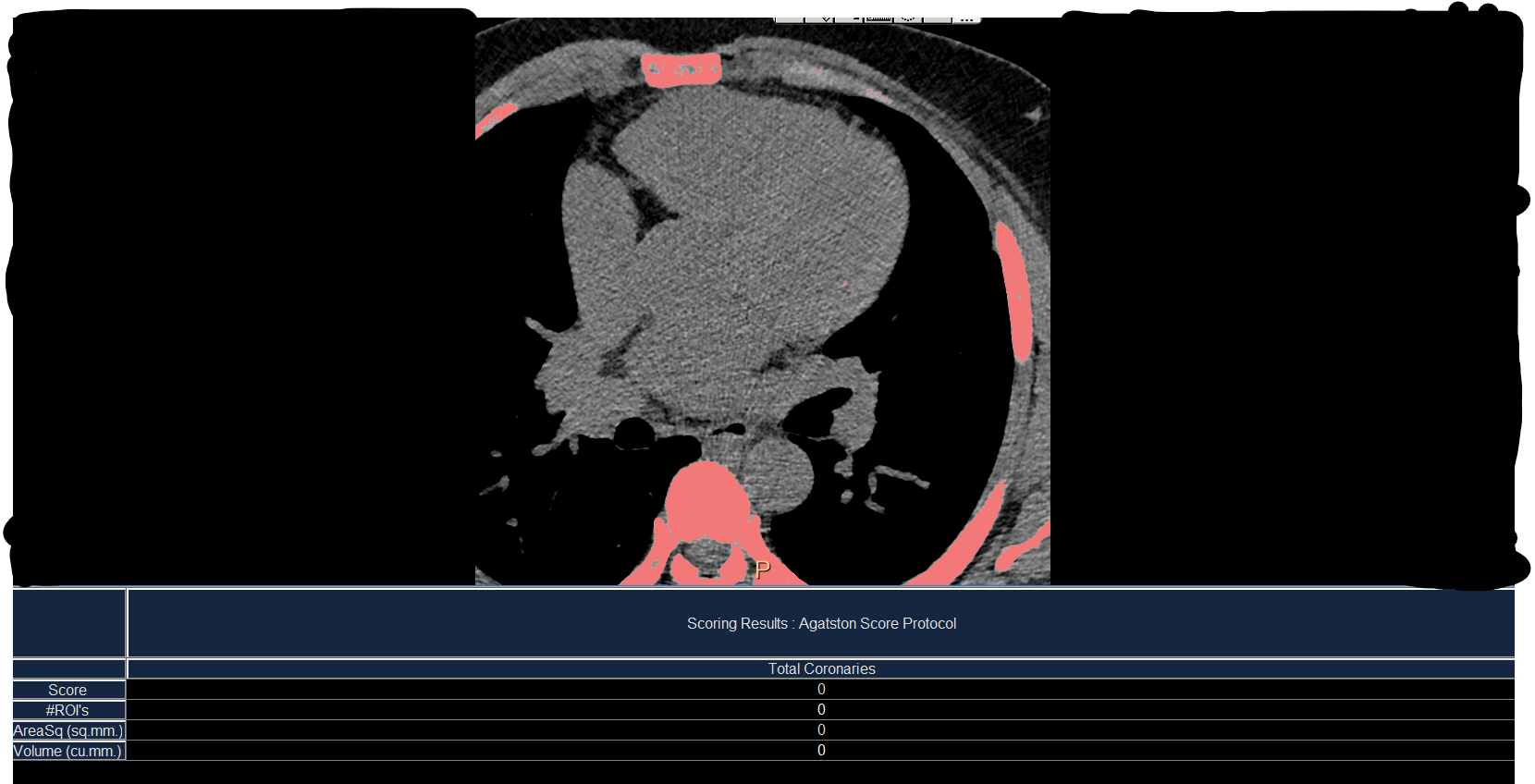
You are looking for pink dots in the vessel - these are calcs labeled by the computer - click on them while you have the correct vessel selected
IE do not click a right coronary calc while you have the LAD selected
If you see a calc (bright white dot) that is not pink and in the vessel distribution (not in the heart/myocardium, not a calcified node, etc) then you should add it by clicking on it with the seeding as well
Once you have done this for all the coronary vessels you will see an auto-populated Agatston score listed in the chart below
This is the values you will report in the CT template
Be sure to note any variant anatomy that may be present
Be sure to look at lungs, chest wall , and all other stuff in the CT that is not just the heart/coronaries
f
Ref